Your first week
Rolehound runs on a schedule rather than on demand, so the honest expectation for the first few days is hours, not seconds. Here is roughly how it plays out.
Day one is mostly you
The work on your first day is the CV and the criteria, and both deserve more attention than they look like they need. The profile read out of your CV is what every fit score is measured against, and your search titles are what the searches actually run on. Ten minutes spent correcting your profile pages now saves you reading irrelevant roles all week.
The first search is queued for you
Finishing setup queues a search immediately, and the Overview page says your first search is running while it is in flight. If it takes longer than expected, that message changes to say results will appear on the next scheduled run — nothing has been lost, it has just fallen back to the normal schedule. Searching then repeats in the background through the day, so the list fills up gradually rather than all at once.
Scores arrive after roles, and documents only when you ask
Roles appear on the Jobs tab first. Scoring is a separate pass, so the fit score, the one-line summary, the strengths and the concerns follow shortly afterwards on the Suggestions tab, not at the same moment. A role sitting there unscored for a while is normal, not a fault.
Documents work differently: nothing is drafted until you ask for it. Pick a role, ask for a tailored CV and cover letter, and the two PDFs are built in the background and appear on the application when they are ready.
Connect a mailbox once you have applied to something
Mailbox tracking has nothing to match against until you have open applications, so there is no rush on day one. Once you have sent your first application it starts earning its place: replies are matched to your applications and move the right pipeline card forward on their own.
Before you connect one, know what it does inside your mailbox. It files every message it has classified into folders under Rolehound/, including personal mail it judges irrelevant, and keeps the sender, subject and a short preview of each. A mailbox you use only for your job search is the better one to connect. See Email and your mailbox.
Follow the prompts on Overview
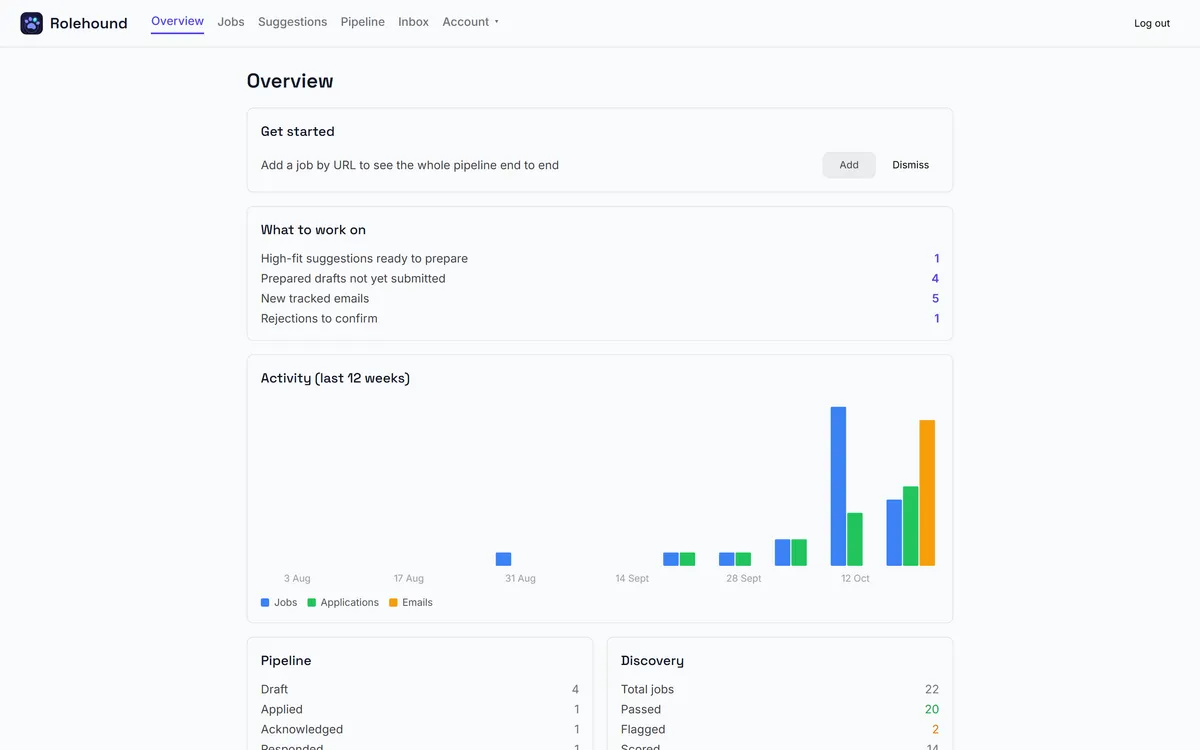
The Overview page keeps a Get started card listing the optional things still worth doing — connecting a mailbox, following companies on the Watchlist, adding a job by URL — and warns you if something load-bearing has broken, such as your search titles being cleared or no CV being on file. It also tells you when your credit is running low, because scoring and drafting stop without it.
You can dismiss the prompts you do not want. The credit warning is the exception and stays put, because it reflects a live balance rather than a one-off task.
What the Overview tells you
The Overview page is the one to check each morning: what is worth working on, how the last twelve weeks have gone, and where every application currently sits.